
Available
Windows PC on Steam
The official Steam app data marks Windows as supported. The store page lists Windows 10+ in the minimum requirements.
Windows PC · Steam · solo · online co-op
The current official listing is for Windows PC on Steam. Use this page to check Xbox, PS5, Mac, Steam Deck, crossplay, controller support, and the minimum PC hardware before you buy or invite friends.
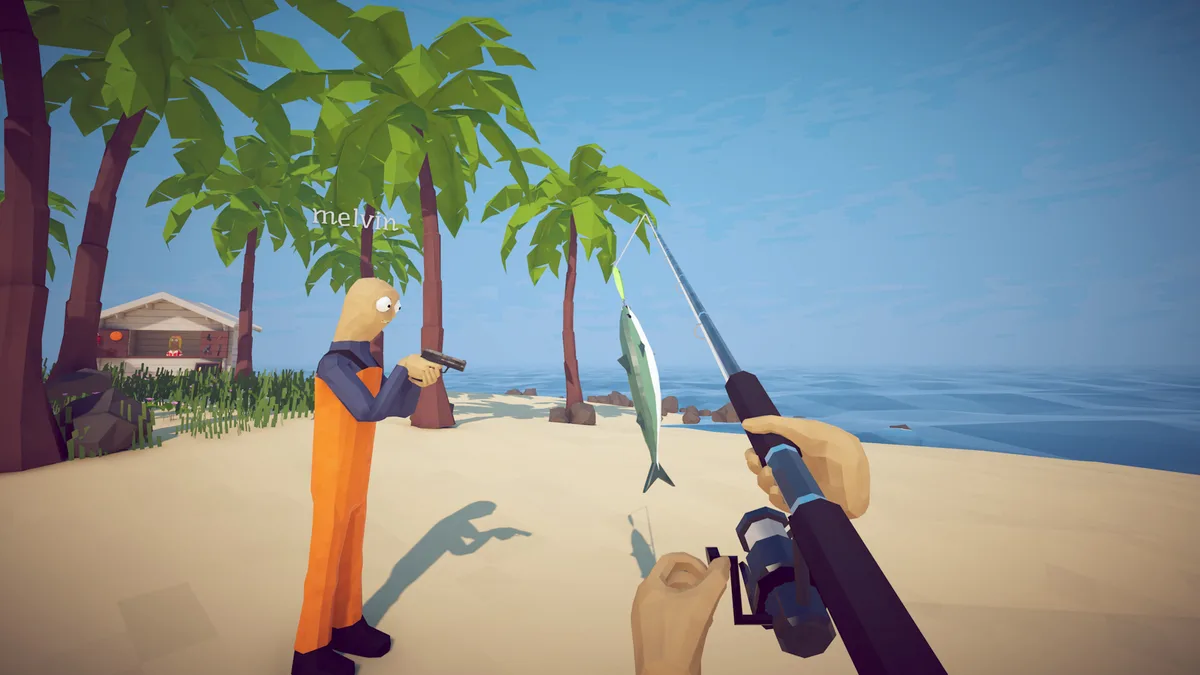
Windows PC: install the Steam game. Steam Deck: the developer announced Verified support. Mac or phone: check the GeForce NOW streaming route; it is not a native port. Xbox, PlayStation or Switch: a native release is not confirmed by the developer sources checked on September 29, 2026. For playing together, read the co-op and crossplay distinction.
The official Steam app data marks Windows as supported. The store page lists Windows 10+ in the minimum requirements.
The current Steam app data does not list native macOS or Linux builds. Separately, the official Patch 1.0.11 announcement now marks the Windows game Steam Deck Verified.
No Xbox or PlayStation release is confirmed by the developer announcements checked for this guide. Steam lists the Windows game; that listing alone cannot establish a console release.
Use the status column as a buying and invitation check, not as a promise about future ports.
Scroll the table sideways to see all columns.
| Platform | Current status | What is confirmed | What to avoid assuming |
|---|---|---|---|
| Windows PC | Listed | The Steam version lists Windows 10+ as its minimum operating system. | Do not assume every older Windows setup meets the GPU, memory, or 64-bit requirements. |
| macOS | Not listed | No native macOS build is listed. The cloud-streaming option below runs the PC game remotely. | Do not assume the Windows build will run natively on Mac or that a compatibility layer is supported by the developer. |
| Linux / Steam Deck | Steam Deck Verified | Patch 1.0.11 officially says How to Fish is fully Steam Deck Verified. The Steam app data still does not list a native Linux build. | Do not turn the Deck badge into a claim of native Linux support or guaranteed performance on every external setup. |
| GeForce NOW | Officially announced | Patch 1.0.11 announces GeForce NOW availability. | Cloud streaming is separate from a native Mac, Linux, mobile, or console build; check the service’s regional catalog and account requirements. |
| Xbox | Not confirmed | No Xbox release is confirmed in the developer announcements checked for this guide. | Do not use a third-party article or a similarly named game as proof of an Xbox release. |
| PS5 / PlayStation | Not confirmed | No PlayStation release is confirmed in the developer announcements checked for this guide. | Do not assume a PC release automatically includes a PS5 build or console crossplay. |
| Mobile / Switch | Not confirmed | No native mobile or Nintendo Switch edition is confirmed by the developer sources checked here. Phone streaming is a separate option. | Avoid unofficial downloads, cracked packages, or “mobile port” installers. |
No native Android APK, iPhone app or macOS build is confirmed by the official sources checked here. There is, however, an official cloud option: Dazed Games announced GeForce NOW availability in Patch 1.0.11. NVIDIA supports Mac, Android, iPhone and iPad devices. Streaming runs the PC game remotely; it does not install a mobile port.
See NVIDIA’s ownership and region FAQ ↗, its device and input requirements ↗, and the game’s 1.0.11 announcement ↗. This route has not been play-tested on Mac or phones by this site.
Use the official Steam listing for How to Fish by Dazed Games, App ID 4001890, then install it through your Steam Library. A similarly named APK, a Roblox experience, or a key-marketplace result is not evidence of a native mobile edition. On Mac, the Windows listing alone does not provide a native installer; use the cloud option above if it is available to you.
For an existing PC save you want to use elsewhere, read the Steam Cloud first-upload and backup steps. Do not delete the original save to force a transfer.
The official store confirms several PC multiplayer categories. It does not confirm cross-platform matchmaking.
Yes. Steam lists Single-player, so you can start a run without joining another player. For the current co-op capacity, use the patch-based limit in the next card.
Steam lists online co-op. Although its store description still says 1–4 players, Dazed Games’ Patch 1.0.4 ↗ added support for up to 8-player lobbies. Use that updated lobby limit when planning your group; player count is separate from cross-platform support.
Steam metadata gives a stronger answer for controllers than it does for console platforms.
The official Steam app data marks the game with Full controller support. It also lists DualShock and DualSense controller support.
If a controller is not responding, connect it before launching or restart the game after Steam recognizes it. Then check the active Steam Input layout and the game’s own input settings.
A controller badge means a Windows Steam player can use a supported controller. It does not mean that the game has a native Xbox or PlayStation version.
These are the minimum requirements currently shown on the official Steam store page. The store data retrieved for this check only exposed the minimum processor, memory, graphics, network, and storage details clearly enough to reproduce below.
Scroll the table sideways to see all columns.
| Requirement | Minimum shown on Steam | Practical check |
|---|---|---|
| Operating system | Windows 10+; 64-bit processor and operating system | Confirm that Windows is 64-bit and fully updated before investigating game-specific errors. |
| Processor | Intel Core i5-5257U, AMD Ryzen 3 1200, or equivalent | “Equivalent” is a store-level comparison, not a guarantee for every laptop configuration. |
| Memory | 8 GB RAM | Close heavy background applications if the machine is close to the minimum. |
| Graphics | GeForce GTX 1050, AMD RX 460, or equivalent | Driver version, laptop power mode, resolution, and thermals can still affect performance. |
| Network | Broadband Internet connection | Online co-op needs a stable connection; a requirement line does not guarantee a particular latency or relay path. |
| Storage | 1 GB available space | Leave additional free space for Steam updates and temporary files rather than filling the drive to the exact minimum. |
Recommended specs: the official page currently shows a recommended section, but the retrieved text did not expose a complete recommended CPU/GPU/RAM list. This guide does not invent the missing values. Use the live Steam store page for the latest complete requirements.
Use the official listing to avoid confusing a platform question with an unsafe download.
Answers are intentionally limited to what the current official listing supports.
No Xbox release is confirmed in the developer sources checked on September 29, 2026. The available Steam listing is for Windows PC; wait for a Dazed Games announcement or an official Xbox store listing before treating a console edition as available.
No PS5 release is confirmed in the developer sources checked on September 29, 2026. A Windows Steam release does not establish a PlayStation edition.
Cross-platform play is not documented in the official Steam store data checked for this guide. The listing confirms Windows PC, Steam multiplayer, and online co-op, but does not confirm cross-platform matchmaking.
No native macOS build is listed. The developer has announced GeForce NOW access; see the Mac streaming steps and account requirements. Streaming the PC game does not install a native Mac edition.
Yes. Single-player is listed in the official Steam app data. Online co-op is also listed if you want to play with other Steam users.
The official Patch 1.0.11 announcement says How to Fish is now fully Steam Deck Verified. The Steam app data does not list a native Linux build, so do not rewrite the Verified badge as native Linux support.
The official store description currently describes How to Fish as a 1–4 player game. Official Patch 1.0.4 increased lobbies to up to 8 players; the older store description and the updated lobby limit are different records.
Availability, lobby history and minimum requirements rechecked September 29, 2026 against the Steam listing and developer announcements linked above. Controller metadata was checked September 17. Steam Deck, console and cloud performance have not been tested by this site.
Read package-specific installation paths and version checks.