
1
Stop repeated save attempts
If a boat, item, inventory entry, or route marker is missing, do not overwrite the only copy with a new test save. Note the game version, island, objective, and the last action before the issue.
Save · multiplayer · audio · performance · startup
Start with the smallest reversible check, protect your save before repeated reloads, and separate an installation problem from a save, connection, or hardware problem.
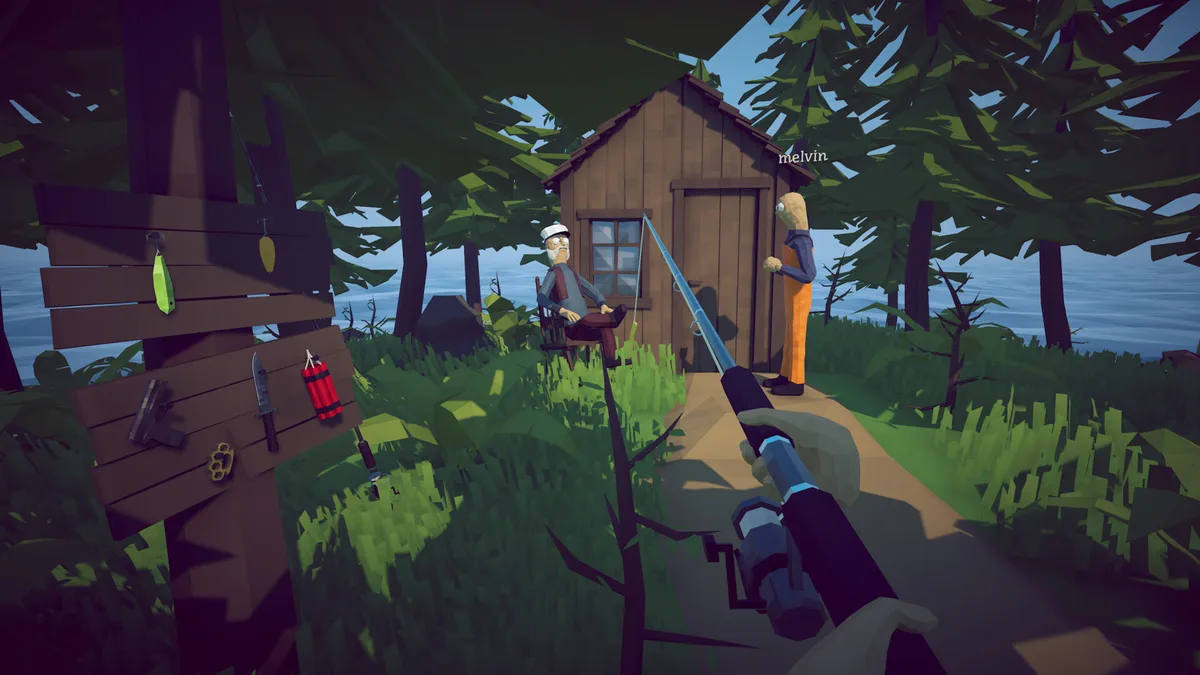
Use the symptom row that matches what you can see. If a step changes more than one variable, stop and return to the last known state before continuing.
Scroll the table sideways to see all columns.
| Symptom | First checks | What the check can tell you | Confidence |
|---|---|---|---|
| Save or loading problem | Back up the existing folder before any test that writes a save; then verify installed files | Separates a possible installation-file problem from a save-state or loading-state problem. | Official file check; save path is community-reported |
| Boat missing after load | Record version and objective; compare boat, inventory, marker, and last location | Shows whether the problem is a missing object, progression state, or wider load failure. | Version-sensitive |
| Black screen in multiplayer | Same version, restart Steam, check Steam Relay, test one joining player | Tests connection initialization before changing firewall or display settings. | Official patch context plus community diagnosis |
| Invite fails or times out | Recreate the lobby, use a simple lobby name, and test a private session | Checks whether the failure is tied to the current lobby or session setup. | Reversible community test |
| Repeated or distorted audio | Check output device, microphone, voice route, and another session separately | Separates game output from microphone or voice-chat routing. | Diagnostic test only |
| Stutter or 0x11C7 | Record hardware and exact message; update system components before security changes | Prevents a performance issue from being treated as a startup block, or vice versa. | Version and hardware-sensitive |
Patch notes can document a change without proving that every existing save problem is gone. Treat your original save as the valuable evidence.
If a boat, item, inventory entry, or route marker is missing, do not overwrite the only copy with a new test save. Note the game version, island, objective, and the last action before the issue.
Windows community reports commonly point to %USERPROFILE%\AppData\LocalLow\Dazed Games\How to Fish\. The exact path can vary by installation or account, so confirm it locally and copy the entire How to Fish folder to a dated backup before testing.
For a healthy save, use Save and exit normally. If loaded progress is already missing or corrupt, back up the existing files first and avoid overwriting them just to test synchronization. A forced close is not a reliable save test.
Steam Support’s Verify Integrity of Game Files ↗ process can check installed game files. It cannot promise to restore lost inventory, currency, quests, or a damaged save.
After protecting the backup, compare the boat, inventory, currency, active objective, route marker, and loading behavior. If only one object is wrong, record that separately from an infinite loading screen or a completely empty profile.
Start by bringing both the host and every joining player onto the same updated build. In the original Version Mismatch thread ↗, a September 2 reply specifically recommends restarting Steam to reveal the update, including on friends’ PCs.
If versions match but joining still fails, record the exact error and follow the Relay, invite and black-screen checks. This is a low-risk response to the named error, not a guarantee for every network failure.
Another post in that thread reports reinstalling Steam and losing installed games. That isolated result is not a reason to begin with a full Steam reinstall, delete saves or disable security controls.
Run a controlled connection test before changing network rules. The goal is to learn whether the failure follows the host, the joining player, the lobby, or the current Steam connection.
Have every player update to the same game build, fully close and reopen Steam, then create a fresh session. A stale Steam client or version mismatch can make later tests misleading.
Check the Steam Relay text shown in the main menu. Patch 1.0.9 added Relay diagnostic text, so an abnormal status is a reason to investigate Steam connection initialization before changing local firewall rules.
Test with one friend first. If changing the session type, lobby name, or host changes the result, record that as a clue—not a guaranteed fix—and restore the simplest working setup.
Patch 1.0.5 is associated with private-lobby support in the checked public patch history. Use a fresh private session for the first controlled test, then try the intended session type after the basic connection works.
As a reversible community diagnostic, use a short lobby name with ordinary letters and numbers. Do not treat this as an official requirement, and undo the test if it makes no difference.
Ask whether the joining player never receives the invite, joins and sees a black screen, or loads into a session with a missing object. Those are different evidence paths and should not be collapsed into one “multiplayer bug.”
Swap host only after the first test is recorded. If the problem follows one account or network, that is useful evidence; if every host fails, return to Steam restart, version, Relay status, and installation checks.
These symptoms can share a trigger but need separate tests. Change one variable at a time and write down the original setting.
Check the selected speakers or headset, microphone input, and voice-chat route separately. Test with voice chat muted or a different output only long enough to identify which path reproduces the duplicate or distorted sound.
Note whether the issue is low FPS, uneven frame pacing, screen tearing, mouse-camera hitching, or a network pause. A fixed FPS cap, polling-rate change, or startup option is a diagnostic test, not an official universal solution.
Record the display mode, FPS cap, input device, output device, and whether multiplayer was active. Change only one setting, retest the same scene, and revert a change that does not improve the symptom.
Community reports can be hardware-, driver-, and patch-specific. This page does not claim that one sampling rate, FPS limit, display mode, launch option, or firewall rule works for everyone.
If Windows blocks startup with 0x11C7, protect system security while checking the official installation path. Do not replace the game executable with a file from a forum.
Save a screenshot or write down the full code, the executable named by Windows, and whether the block happens before Steam launches the game or after the game window appears.
Microsoft describes Smart App Control as a reputation and signature check. Start with current Windows and Defender updates, then retry the official Steam installation.
Use Steam’s official file-verification workflow and launch the game from Steam. This checks installation files; it is not a promise that Windows security or every startup problem will disappear.
Windows does not provide a Smart App Control bypass for one app. Do not turn off a device-wide security feature as the first response to one game error, and do not change organization-managed settings on a school or work PC.
This is a practical troubleshooting timeline, not a promise that a patch fixed every report. Re-check the current game build before relying on a version-specific note.
Scroll the table sideways to see all columns.
| Patch | Relevant public note | How to use it while diagnosing |
|---|---|---|
| 1.0.4 | Early multiplayer and session changes are part of the public patch history checked for this page. | Record the build before comparing older connection reports with a current session. |
| 1.0.5 | Private-lobby support is listed in the checked public patch history. | Use a fresh private lobby as a controlled connection test, not as a guaranteed fix. |
| 1.0.6–1.0.8 | These versions sit between the documented multiplayer changes and later Relay diagnostics. | Do not carry a workaround forward without checking which build the original report used. |
| 1.0.9 | Steam Relay diagnostic text was added to help expose connection state. | Read the Relay status before treating a black screen or invite timeout as a graphics problem. |
| 1.0.10 | Reported changes include longer connection time, up to 64 persisted ground drops, priority ordering for saved drops, and attempts to correct some item positions after loading. | Useful context for save and loading reports, but not evidence that all saves, boats, inventories, or sessions are repaired. |
| 1.0.11 | Official notes add pre-load corruption checks, save backups, extra control toggles, and further item/inventory stability fixes. | Back up the whole save folder anyway; a backup feature is not a promise that an already lost state can be restored. |
| 1.0.12 | Steam Cloud added; MetaVoice updated to 4.3; lobby join no longer overrides maximum FPS; first-radio music is preloaded. | Upload from the original save PC by playing and exiting once. Update before retesting voice-chat or lobby FPS symptoms. The notes do not guarantee recovery of missing data. |
| 1.1.0 · Sep 28 | The Islet Update ↗ adds content, changes island spacing and adjusts some sound-effect volumes. | Separate a missing new island or collection slot from lost save data. The announcement does not promise a fix for every audio or achievement report and does not instruct players to erase their world. Use the new-island navigation notes before treating an exploration problem as save corruption. |
| 1.1.2 · Sep 29 | Official fixes and adjustments ↗: Tench can spawn from the new bait; new-bait spawn increased from 2 to 3; mini-island radar dots enlarged; reload rebinding added; ironsight downgrade restored. | If Tench never appears using the new bait on an older build, restart Steam, update, then retest. This is a documented old-version defect, not a guarantee of a catch on the next cast. Larger radar dots do not recover a lost Radar item. |
| 1.1.3 · Sep 29 | Fishipedia displays the fish’s bait name after its first kill. | A missing label before the kill is consistent with the unlock condition. After a kill, read the entry’s current bait rather than assuming an old guide’s lure pool. See the bait-label checks. |
Keep the original evidence intact before trying any workaround that writes a save, changes a lobby, or changes Windows security.
No guarantee is made. It checks installed game files, not the contents of your save. It cannot promise to restore lost inventory, currency, quests, or progression.
Stop repeated saving, copy the whole save folder, record the build and objective, then compare the boat, inventory, route marker, and loading behavior after one controlled reload. Patches 1.0.10 and 1.0.11 provide useful context, not a universal repair.
No. The Relay text is a useful connection clue. Combine it with same-version checks, a Steam restart, a fresh lobby, and a one-player joining test.
Not as a first step. Keep protection enabled while updating Windows and Defender, using official Steam files, and verifying the installation. Windows does not offer a per-app Smart App Control bypass.
No. They can be reversible diagnostic experiments for a particular machine or build, but this page does not present any one setting as a guaranteed solution.
Checked September 17, 2026. Official context comes from the How to Fish Steam Store page ↗, Steam file-verification guidance ↗, the official How to Fish announcements ↗, and Microsoft’s Smart App Control FAQ ↗. The older checks cover the official 1.0.x records; the timeline also includes the Islet Update and the September 29 patches 1.1.2 and 1.1.3, rechecked October 13, 2026.
Community reports and the How to Fish Game Wiki troubleshooting pages ↗ help identify symptoms such as missing boats, black screens, audio problems, and save paths, but they can be version- or hardware-sensitive. This is an UNOFFICIAL, NOT HANDS-ON guide. It does not promise recovery of lost data or a universal fix.
Need the island route? · Need boss triggers? · Need a combat loadout?